Almost everyone has run a speed test, looked at a number smaller than the one on their bill, and concluded the connection is being throttled. Sometimes that is true. Often the test measured the Wi-Fi in the room, the browser doing the measuring, or the one server the app picked — none of which is your broadband line.
Measuring a line properly is a small piece of discipline: one cable, one clean run, three numbers, repeated at different times. Do that and you either have a case worth complaining about or a clear answer that the line is fine and the problem is inside the house.
What the plan actually promises
Consumer broadband is sold in megabits per second, and the contract almost always says “up to”. That phrase is doing real work: it describes a best case on a shared network, not a guarantee. The number also splits into download, upload and latency, and providers advertise the first while quietly providing a fraction of the second — which is why video calls stutter on a line that downloads beautifully.
Contention is the other hidden variable. Your street cabinet or local node serves a group of households, and the capacity is shared. In the evening, when everyone streams, the same line can deliver noticeably less than it did at eleven in the morning. That is normal engineering rather than a fault, and knowing it stops you from chasing a phantom repair. The general shape of access technologies is on this internet access reference.
Run the broadband speed test at the wire, not on Wi-Fi
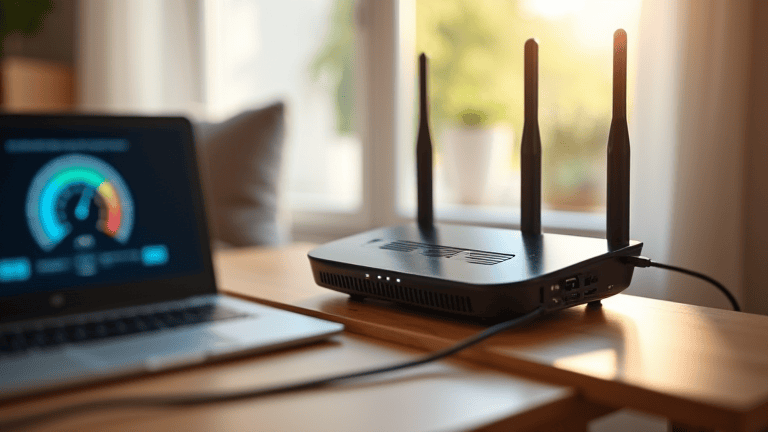
Plug a laptop into the router with an ethernet cable and disable Wi-Fi on that laptop before testing. This single step removes most of the error: Wi-Fi shares airtime, drops packets when neighbours’ networks overlap, and renegotiates its rate constantly. A cable removes all of it.
If the laptop has no ethernet port, use a USB adapter rather than testing over Wi-Fi and subtracting a guessed penalty. If you cannot get a cable to the router, test standing next to it on the 5 GHz band and treat the result as a lower bound — and read setting up a wired ethernet connection for the practicalities. When you are testing the Wi-Fi rather than the line, the checks in home Wi-Fi speed checks are the ones that apply.
Run it properly
- Close everything else. Cloud backups, game launchers, photo sync and video calls all consume the same line. One background upload can halve a download result.
- Use more than one tool. Different apps use different servers and thread counts. Two tools agreeing is evidence; one tool alone is an anecdote.
- Test both single and multi-connection. A single-thread test is limited by the slowest link in the path; a multi-connection test is closer to what streaming and downloads actually do. If multi is fast and single is slow, the line is fine and the path to that one server is not.
- Repeat three times and keep the middle result. The first run after boot is often the worst, because the machine is still busy.
- Test at three times of day: morning, evening peak, and late night. The pattern across the day tells you more than any single reading.
Reading the results: three numbers, not one
Download speed gets all the attention and matters least for how a connection feels. Latency — the round trip in milliseconds — determines whether a click feels instant or laggy, and jitter, the variation in that latency, determines whether a video call is usable. Packet loss, even at one percent, will make a fast line feel broken: pages stall, calls drop words, games rubber-band.
A workable rule of thumb: a wired download result of 80 percent or more of the advertised rate at a non-peak time is a healthy line. Latency under about 30 ms to a nearby server is good for most home use; over 80 ms consistently, and video calls will suffer regardless of the headline speed. Loss above zero on a wired test is worth a support ticket on its own.
Where the speed goes missing before it reaches the provider
Before you accuse the provider, rule out the four things inside your own walls. The router is first: an old unit, or one running on a congested channel, can cap a fast line well below its rating. Second is the band — 2.4 GHz is slower and busier than 5 GHz, and a device that stubbornly prefers it will always test low. Third is the device: an old phone or laptop with a weak Wi-Fi chip becomes the bottleneck no matter how good the line is. Fourth is cabling, where a damaged or low-category ethernet cable can negotiate down to a tenth of the expected speed.
If all four are clean and the wired test is still well below the plan, these Wi-Fi tweaks will improve the in-home experience but will not change the result at the wire — which is exactly how you know the remaining problem is outside the house.
Proving it: the log that makes a complaint stick
Support desks respond to patterns, not adjectives. Keep a simple record for a week: date, time, whether the test was wired, download, upload, latency, and which tool you used. Screenshot each run and keep the files named by date. Add your account number and the plan speed you are paying for at the top of the document.
Then make one ticket, not five, and put the log in it. State what you measured, how, and what you expect. Ask them to check the line’s error counters and the sync rate at the cabinet — an engineer can see signal-to-noise and retrain history that you cannot, and those numbers distinguish a line fault from a busy network. If the first response is a script about restarting the router, reply once with the wired results and ask for the line statistics specifically.
When the honest answer is a cheaper plan
Plenty of households pay for a tier they never use. If three devices stream at once, nobody works with large files, and the wired test at peak still shows headroom, the expensive tier is buying comfort rather than capability. Downgrading is the rare case where the speed test pays for itself — and if part of the bill is mobile data rather than the fixed line, switching to a cheaper mobile plan is the same exercise for the other half of the bill.
Two things people blame on speed that are not speed
A page that loads slowly while the speed test is perfect is usually waiting on something else: a heavy script, an overloaded server, or DNS resolution. And a video call that drops while downloads are fast is latency and jitter, not bandwidth. Both look like “slow internet” and neither is fixed by paying for more megabits, which is why measuring the three numbers separately is worth the twenty minutes.
Do it once properly, keep the log, and the argument with your provider becomes a technical conversation instead of a complaint about how the internet “feels slow tonight”.