A cracked screen is not one problem. It is three possible problems wearing the same spiderweb, and the difference between a twenty-minute glass swap and a full display assembly is usually the difference between a repair that makes sense and one that does not. Before you accept the first quote, it helps to know what is actually inside the phone, what the shop is proposing to replace, and how the numbers work out against simply replacing the device.
This is a decision guide rather than a tutorial. Opening a modern phone is a job for someone with heat, suction and practice; the useful skill for an owner is asking the right questions and reading the quote correctly.
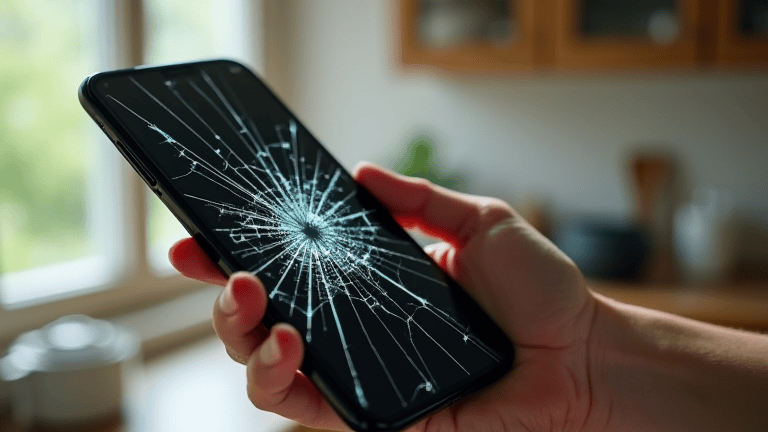
Three facts decide what a cracked phone screen is worth fixing
Age. A phone in its first two years usually justifies an original-quality display: the battery is still healthy, the software is still supported, and the repair buys several more years. Past four years you are spending money on a device that will lose security updates soon, and the same money moves you to a newer used handset.
The quote against the phone’s actual value. Look up what your exact model sells for used in working condition, subtract the repair cost, and compare that with the price of the same model already repaired. If the repair costs more than half the used value, the maths is against you unless the phone holds something you cannot replace.
Water resistance. Once the seal is broken, most phones never return to their factory water resistance, even when a shop claims otherwise. A phone you regularly take near water is a phone where a repair may be a downgrade in practical terms.
Know which layer is broken
The front of a phone is a stack: an outer glass layer, a touch digitiser, and the display panel itself, bonded together with optical adhesive. A crack that is only in the glass and leaves touch and image perfect is the best case. If touch works in some areas and not others, the digitiser is damaged. If you see green or purple blotches, black ink-like patches, or lines that grow over days, the panel is failing and the whole assembly has to go.
That distinction changes the part, not just the price. A glass-only repair uses a laminating machine and costs less in parts but demands more skill; an assembly swap is more expensive in parts and closer to plug-and-play. Shops that quote a suspiciously low price are often proposing the first and quietly hoping for the second when they open it up.
The repair-shop questions that move the price
- Is the panel original, OEM-compatible, or refurbished? “Original” means a genuine part, often pulled or service-grade. OEM-compatible is a third-party copy that usually works but may differ in brightness, colour and touch latency. Refurbished means an original panel with new glass laminated on.
- Does the quote include the frame? A display bonded to a new mid-frame is easier to fit and more expensive; reusing your frame is cheaper and can transfer a bend.
- Will the fingerprint sensor still work? On under-display sensors the calibration is tied to the panel, and a cheap assembly can leave biometrics dead or unreliable.
- Is there a warranty, and what does it cover? A thirty-day guarantee on the part is normal; a guarantee that excludes touch and moisture is not worth much.
- Do you keep the old part? Ask for it back. It is your property and its condition tells you whether the diagnosis was honest.
When a cracked phone screen is a safety problem, not a cosmetic one
Fine glass splinters near your ear and cheek are a genuine hazard, and a crack that reaches the front camera or the earpiece mesh lets dust and moisture straight into the body. A screen that ghosts — registering taps you did not make — is worse than inconvenient: it can approve a payment, dismiss a security prompt, or open an app you did not choose. If any of those are happening, the repair is no longer optional and the cheap-glass-over-the-top trick is not a substitute.
There is also a battery angle. A cracked phone is more likely to have been dropped hard, and a dropped phone can have a swollen cell that is only visible once the screen is off. Any shop that opens the device should check the battery while it is open; a swollen battery is a fire risk and should be replaced at the same time rather than later.
Buying time: what a protector over a crack actually does
A tempered-glass protector applied over a cracked screen will not repair anything, but it does hold the shards in place and keep finger oils out of the fissures, which slows the spread. It also makes the crack slightly less visible. Done properly — on a clean, fully dry screen — it can buy weeks or months. Done over a screen with glass flakes lifting at the edge, it just seals a bubble that collects dust.
Do not use liquid glass “repair” kits on a modern laminated display. The liquid finds its way into the panel edges, and the result is usually a permanent stain where it dried.
The used-phone maths
Work out three numbers: the repair quote, the resale value of your model with a cracked screen, and the price of the same model in good used condition. Repair makes sense when quote + cracked resale value is comfortably less than the good-condition price. Replacement makes sense when the two are close, because a new-to-you handset also brings a fresh battery and a warranty.
If you do replace, sell or recycle the broken phone rather than leaving it in a drawer — a cracked-but-working phone still has value, and the data on it is the real risk. Selling an old phone without leaving data behind covers the wipe-and-verify steps, and the repair-rights movement behind the parts pricing is summarised on this right to repair reference.
Back up before anyone opens it
Every repair carries a small chance the device does not come back, and a shop technician will have unrestricted access to everything on it. Do both preparations: take a full backup, and remove anything you would not want a stranger reading. If the screen still responds, the backup is straightforward; if touch is dead, a USB mouse or keyboard via an adapter will usually let you drive the phone well enough to finish a backup and sign out.
While you are at it, write down your account credentials somewhere other than the phone. A repair that ends with a working screen and a locked account is its own kind of loss — this phone backup checklist covers the pieces people forget, including two-factor codes and messaging history.
After the repair: the first-week checks
Test in the shop, not at home. Check touch across the whole surface including the corners, look for dead pixels on a white and a black background, confirm the front camera and earpiece are clear, check that automatic brightness responds, and run the fingerprint or face unlock several times. Then, over the first week, watch for a display that flickers at low brightness, a touch area that drifts, or a battery that drains noticeably faster than before — all signs of a marginal part or a connector not fully seated.
Most importantly, take the warranty in writing with the date on it. A screen repair is one of the few consumer purchases where the paperwork is what stands between you and paying twice.