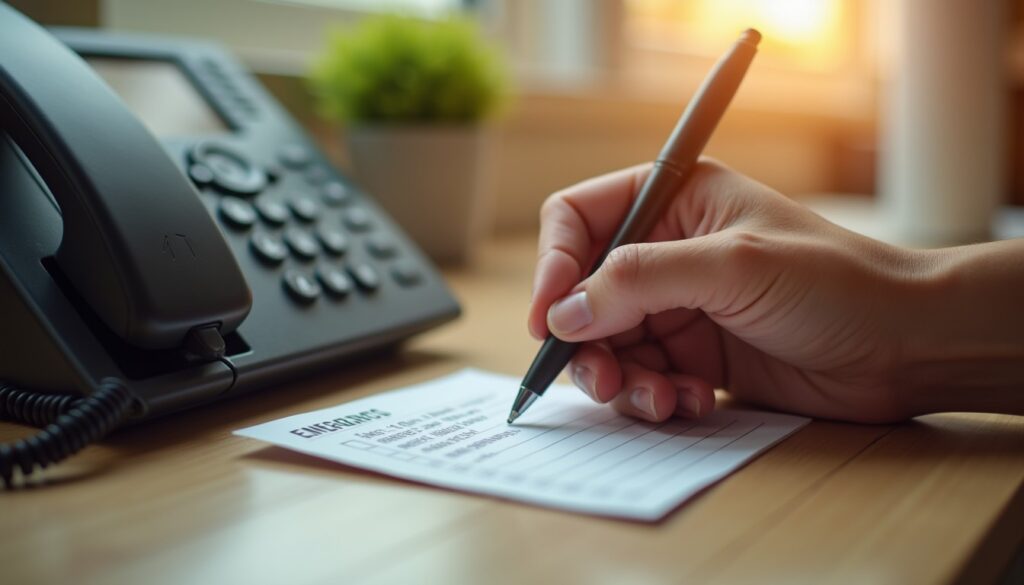
Three different things get called “an emergency contact” on a modern phone, and most people set up one and assume the other two followed. One is a person in your address book, one is a medical record a stranger can read while the screen is locked, and one is an action that dials emergency services and messages your family.
Work out which of the three jobs you are filling
Before touching settings, decide what has to happen in an incident. Unconscious, the useful thing is a name and number on the lock screen. Injured but conscious, it is one button that calls an ambulance and tells your partner where you are. For a child or an elderly relative, it may be a card in a wallet, because nobody unlocks a stranger’s phone during a fall.
Phones treat these as separate features. Apple hides the medical side in the Health app and the panic-button side in Settings; Android puts most of it on one screen. Neither automatically fills in the other.
On iPhone, the Medical ID does the lock-screen work
Open Health, tap your profile picture at the top right, then Medical ID → Edit. Fill in date of birth, blood type, allergies, current medication and any condition a paramedic would need in the first minute. Add one or two emergency contacts with their relationship, then turn on Show When Locked. Without that toggle the record exists but no one can reach it.
Test it: lock the phone, tap Emergency under the passcode field, then Medical ID. If your details are not on that screen, either the toggle is off or the phone has no passcode set — iOS will not expose the record on an unlocked device.
The dialling side lives in Settings → Emergency SOS. Choose Call with Hold and Release (hold the side button and either volume button, then release) or Call with 5 Presses; both start a countdown with a warning siren you can cancel by letting go. On iPhone 14 and later there is also Emergency SOS via satellite for areas with no cell signal, plus Crash Detection, which is on by default and dials after a severe impact. Apple’s iPhone support documentation lists the current screen names, which change between versions.
On Android, Safety & emergency is one screen
On Pixel and stock Android 12 or newer: Settings → Safety & emergency. Inside it, Emergency contacts lets you add people from your address book, Medical information takes allergies, medication, blood type and notes, and Emergency SOS sets what the power button does — five quick presses, or hold, depending on the version. You can also have it play a loud alarm and share your location with your listed contacts.
Samsung puts the same features under Settings → Safety and emergency, with an extra Send SOS messages option that can attach a front and rear photo to the alert. Xiaomi, Oppo and Realme file it under Settings → Safety or a standalone SOS entry in the app drawer; searching “SOS” in the Settings search bar is faster than hunting menus.
Two things trip people up. The contact must already exist in the address book with a mobile number, and the safety app needs permission to read contacts — if you tightened permissions, that may be off now. Check on the lock screen: from the PIN pad, tap Emergency, then Emergency information, and confirm the name and number appear. Google’s Android help centre lists the exact wording for each manufacturer build.

Make the list work when the phone does not
A lock-screen record fails if the battery is dead or the screen is smashed. Cover that on paper: two names and numbers on a card, one in the wallet and one taped inside a kitchen cupboard door where a neighbour would look. For an elderly parent living alone, that list belongs inside the front door, where paramedics look first; for a child, a laminated card in the school bag with a parent’s number and any allergy is the fastest thing a teacher can act on. In a household that still has a landline, tape the same list to the base unit.
Numbers to keep straight if you travel or have family abroad: 999 in Bangladesh, the UK, Ireland and Malaysia; 112 across the EU and reachable from a locked handset with no SIM; 911 in the US and Canada; 000 in Australia. Store the local number for the country you are in, not the one you grew up with.
Test it twice a year and prune it
Ring every number you listed, from the phone you set it up on, and confirm the digits with the person. Ask whether they would actually answer at 3 a.m. Two contacts is the right number; six is a list a paramedic will not work through. Remove ex-partners, dead landlines and numbers that now belong to somebody else, because recycled numbers are common and a misdialled emergency alert is worse than none.
When you change phones, check. The Medical ID travels with an encrypted iCloud backup on iPhone; on Android, whether the emergency information follows your Google account depends on the manufacturer, so open Safety & emergency on the new handset and look. Pair the review with a birthday or a clock change and it stops being a task you postpone. The same ten-minute habit of checking what a locked phone reveals is worth extending to Android’s theft protection settings, and if the whole point is that your family can reach your accounts in a crisis, start with a real phone backup rather than a list of phone numbers.