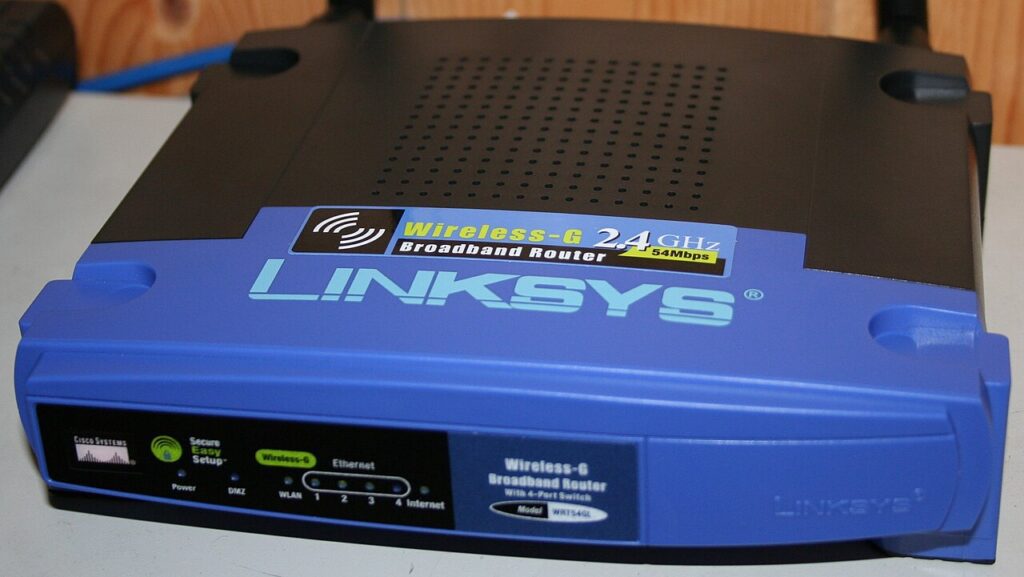
When a visitor asks for your Wi-Fi password, you hand over the keys to everything: the network printer, the shared folder on the laptop, the cameras, the smart speakers. Nobody means any harm, but one phone carrying malware is enough to cause trouble. It takes about five minutes to set up a guest wifi network that gives people internet access and nothing else.

What a guest network actually does
A guest network is a second wireless name broadcast by the same router, with its own password. Devices connected to it reach the internet normally, but they are walled off from the devices on your main network. That isolation is the entire point.
The practical benefits stack up quickly. A compromised visitor phone cannot scan your file shares. A guest cannot accidentally cast to your bedroom TV. You can change the guest password whenever you like without re-entering the new one on nineteen smart bulbs. And you never have to read your twenty-character main password aloud across a noisy kitchen.
There is a second, underrated use: smart-home gadgets. Cheap cameras, plugs and bulbs are often the least secure devices in a house and rarely receive updates. Putting them on the guest network keeps them away from your laptop and phone entirely.
How to set up a guest wifi network in five minutes
The exact wording differs by brand, but the steps are the same everywhere.
1. Get into the router. Type the router’s address into a browser, usually 192.168.0.1 or 192.168.1.1, or open the manufacturer’s app. The login is printed on a sticker on the router unless someone changed it. If your provider supplies the router, their app is normally the easiest route in.
2. Find the guest option. Look under Wireless, Wi-Fi, or Guest Access. Enable it. Some routers offer separate 2.4 GHz and 5 GHz guest networks; enabling both is fine, and 2.4 GHz matters for older gadgets.
3. Name it plainly. Something like Smith-Guest. Avoid anything that reveals your flat number or full name.
4. Set a strong but sayable password. Three unrelated words plus a number beats a random jumble that guests will ask you to repeat four times. Use WPA2 or WPA3 encryption, never WEP and never open.
5. Turn on client isolation. This is the important box, sometimes called Allow guests to see each other and access my local network — make sure that is switched OFF. Without it, the “guest” network is just a second door into the same house.
6. Save, then test. Connect a phone to the guest network and try to open your printer’s admin page or a shared folder. It should fail. That failure is what you paid for.
Extra settings worth switching on
Many routers let you set a guest bandwidth limit. Capping guests at a portion of your connection stops one person’s cloud backup from ruining a video call. Some also offer a timer that disables the guest network automatically after a few hours, which is ideal for parties.
A QR code beats reading out a password. Most router apps generate one; if yours does not, any offline QR generator can encode Wi-Fi credentials. Print it, stick it inside a kitchen cupboard, and visitors sort themselves out.
While you are logged into the router, do the two-minute security pass: change the router’s admin password if it is still the default, turn off WPS, disable remote administration from the internet, and check whether a firmware update is waiting. Those four items close the most commonly exploited home network holes. The NCSC and the US Federal Trade Commission both publish short, readable home-network checklists that agree on the same basics.
Common problems and quick fixes
No guest option in the menu. Older or ISP-locked routers sometimes hide it. Check for a firmware update first; if it genuinely is not there, a modest replacement router will have it, and mesh systems all support guest networks.
Guests connect but have no internet. Usually the guest network has been created without being bridged to the internet connection, or a captive portal is waiting for a click. Reboot the router after saving, then retry.
Smart devices drop off the guest network. Some gadgets need to talk to a phone app on the same network during setup. Set them up on the main network first, then move them across, or keep the app phone on guest during setup.
Do it once, benefit for years
This is the rare security job with no ongoing cost. Once you set up a guest wifi network, visitors get a password you do not mind sharing, your IoT clutter is quarantined, and your laptops and phones sit behind a wall. Five minutes, permanent payoff. For more router and safety guides, see the Tips & Tricks homepage, our post on securing your home router, and tips to improve your home Wi-Fi signal.