A UPS is usually bought in a panic. The power goes out, the desktop dies mid-document, the router reboots and takes two minutes to bring the connection back, and by the evening there is a box in the cart. That is exactly the wrong moment to choose one, because the only number most shoppers look at is the big VA figure on the front, and that number tells you almost nothing about how long your gear will actually stay alive.
This guide is about matching a battery backup to the two things most people want to keep running through a cut: the router that carries the internet, and the desktop or laptop dock that holds the work. It is arithmetic, not brand loyalty, and you can do all of it before you spend anything.
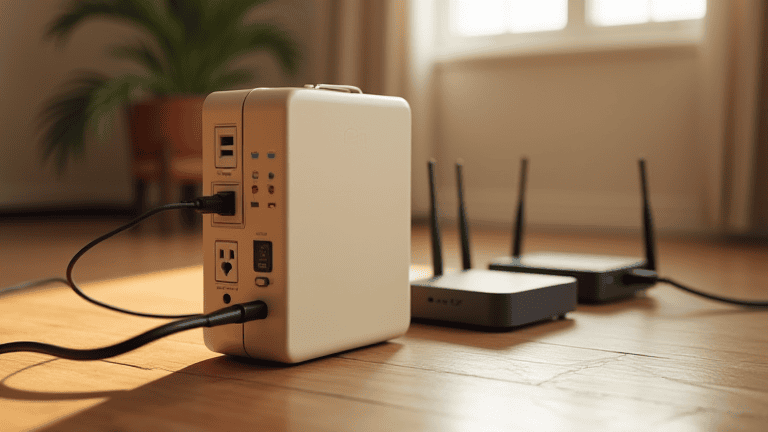
Start with real watts, not the VA number on the box
VA (volt-amperes) is apparent power. Watts are what your equipment actually consumes and what the battery has to supply. The bridge between them is the power factor, and on consumer UPS units it is usually somewhere between 0.5 and 0.9. A “1500VA” unit rated at 900W has a power factor of 0.6; an “850VA” unit rated at 480W is close to 0.56. If a listing gives you only VA, halve it and you have a cautious working number.
Two ratings matter and they are not the same thing. The capacity rating is the largest load the unit will carry without complaining. The battery rating is what it can sustain on battery for a useful length of time. A unit can carry 900W and still give you ninety seconds at that load. When you compare models, compare the watt-hour figure of the internal battery, or the published runtime at a stated load, not the headline VA.
Measure the load you are actually protecting
Guessing is the reason people buy twice. A plug-in energy meter costs less than a mid-range UPS and settles the question in an afternoon. Plug the meter in, put the device behind it, and read the watt figure while the machine is doing what it normally does — not while it is idling at the desktop with nothing open.
Reasonable figures for common home gear, so you know whether a measurement looks sane:
- Wi-Fi router: 6–15 W, with peaks when a device associates or a firmware task runs
- Fibre ONT or cable modem: 5–12 W
- Small unmanaged switch: 5–20 W depending on port count and PoE
- Desktop tower, idle on the desktop: 45–90 W; gaming or rendering: 250–600 W
- Monitor, 24–27 inch at normal brightness: 20–35 W
- Laptop on its own charger: 30–65 W while charging, 10–25 W once full
Add the figures for everything you plan to keep alive, then add 20 percent headroom so the UPS is not running at its ceiling. A router plus ONT plus a switch is often under 35 W. A desktop plus monitor is often 90–120 W. Those are two very different purchases, which is why the single “whole house” UPS usually ends up oversized, noisy and expensive to re-battery.
The runtime math you can do on the back of an envelope
Runtime comes from stored energy. A typical small UPS carries one 12 V, 9 Ah sealed battery, which holds 12 × 9 = 108 Wh. The inverter is not perfect, so assume 80–85 percent of that energy reaches your devices. Divide by the load:
minutes ≈ (battery Wh × 0.8) ÷ load in watts × 60
At 35 W: (108 × 0.8) ÷ 35 × 60 ≈ 148 minutes on paper. The real figure will be lower — inverters are less efficient at light loads, batteries age from the first day, and manufacturers quote runtime at a load that suits their marketing. A realistic expectation for that same unit at 35 W is roughly 60–90 minutes when new, dropping toward 30–45 minutes after two years. At 120 W the same battery gives you 15–25 minutes.
That is the honest answer to “how long will it last”: short. Treat a UPS as a bridge — long enough to save, shut down in order, and ride out a two-minute flicker — not as a generator. If your area has four-hour cuts and you need the router up the whole time, the correct purchase is a small inverter with a deep-cycle or lithium battery, and that is a different article.
Match the UPS for router and PC separately, and the maths gets easier
One large unit is not always the tidy answer. Network gear draws so little that a 600–800 VA unit will run a router, ONT and switch for well over an hour, and it can live quietly next to the ONT where the cables already converge. The desktop gets its own unit sized to its real draw, which also means a power event on one circuit does not take both down together.
Splitting has a second benefit: when the small network UPS battery dies after three years, you replace a cheap battery instead of a large one, and the desktop keeps its protection. If you would rather run one box, put the network gear first in the priority order and treat the PC as the second-class load — many units let you designate battery-backed versus surge-only outlets for exactly this.
Whatever you choose, keep the internet path documented. If the router is on battery but the ONT is not, the Wi-Fi stays up with no internet behind it, which is the most common self-inflicted failure in home backup setups. Our walkthrough on keeping your internet working during a power cut covers the order to plug things in.
Sine wave and transfer time: the two specs cheap units hide
An inexpensive UPS often outputs a stepped, modified sine wave. Most phone chargers, routers and laptop bricks tolerate it. Desktop power supplies with active power factor correction frequently do not: they can buzz, trip, or shut down the moment the unit transfers to battery, which is precisely when you needed them. If a desktop is on the protected load, pure sine output is worth paying for.
Transfer time is the gap between mains dropping and the inverter taking over, usually 2–10 ms for line-interactive units and effectively zero for online double-conversion models. A decent ATX power supply holds its rails for around 16 ms, so a 6 ms transfer is invisible. If you have ever seen a PC reboot during a blink that the clock radio survived, a slow transfer combined with an ageing PSU is the usual explanation.
Battery chemistry decides the second bill
Sealed lead-acid is the default because it is cheap and safe indoors. Expect two to four years in a warm room, less if the unit sits in a closed cabinet. Replacement batteries are inexpensive but you must match voltage and Ah exactly, and the unit has to be opened, which is a job for someone comfortable doing it with the mains disconnected.
Lithium iron phosphate units cost roughly twice as much and last five to eight years with far better runtime per kilogram. They also tolerate partial discharges better, which matters if your cuts are frequent but short. Check the published recharge time as well: a unit that takes eight hours to recover is a poor fit for an area with three outages a day.
What a UPS will not do
It will not run an air conditioner, a heater, a kettle or a laser printer — those loads are either far beyond its rating or draw a surge that trips it. It will not protect you from a lightning strike arriving on the phone or cable line; that needs surge protection on every conductor that enters the building. It will not survive being stacked under a pile of paper, because the battery needs air. And it will not tell you the battery is finished unless you look: most units only beep or show a red light during a self-test, so run that test every few months rather than discovering the failure during an outage.
The other piece of protection people skip is the strip between the wall and the gear. A UPS is a battery with a modest surge component, not a replacement for a properly rated surge protector on the incoming line, and the difference in how each one fails is worth understanding before you decide what to plug where — see power strip vs surge protector. Details on how these units convert and switch are on the UPS reference page.
A five-minute checklist before you buy
- Measure the real watt draw of everything you want to keep alive, at the moment it is busiest.
- Add 20 percent, then convert to a watt rating — ignore VA except as a sanity check.
- Decide the runtime you need: 10 minutes for a graceful shutdown, 45+ for riding out mains flicker.
- Check whether the load includes a desktop with active PFC; if so, insist on pure sine output.
- Confirm transfer time is 10 ms or less, and that the outlets you need are battery-backed, not surge-only.
- Look up the replacement battery part and price before buying the unit.
- Plan where it sits: ventilated, off the floor in flood-prone rooms, and not under a curtain.
Do that and the box you end up with will be smaller and cheaper than the one you would have panic-bought, and it will do the one job that matters: keep the connection and the open document alive until you can shut things down in the right order.