Your router is the front door to every device in your home, yet most people never touch its settings after install. If you want to secure your home router, the good news is that the highest-impact changes take less than an hour. Below are eight steps that actually stop intruders.
You won’t need to buy anything or flash custom firmware. Every step below uses settings already sitting in your router’s admin page, and each one closes a hole that attackers scan for automatically.
Secure your home router in five minutes
Change the default admin login
Every router ships with a known username and password like admin/admin. Attackers scan for these constantly. The first step to secure your home router is creating a strong, unique admin password and, where possible, disabling remote management so it cannot be reached from outside your network. Write the new password down somewhere safe—you will need it far less often than you fear.
Update the firmware
Firmware is the router’s operating system, and vendors patch serious flaws in it regularly. Log in, check for updates, and enable automatic updates if offered. CISA and other agencies repeatedly warn that unpatched routers are a top entry point for home network attacks, so this single step removes most of the risk.
Use WPA3 (or at least WPA2)
Old WEP and WPA encryption can be cracked in minutes. Switch to WPA3 if your devices support it, or WPA2-AES as a minimum. Set a long Wi-Fi passphrase—four random words beats a short complicated one—and change it if a guest you no longer trust once had it. Strong encryption is the lock on your digital front door.
Rename and hide your network name
The default SSID often reveals the model, which tells attackers exactly which exploits to try. Rename it to something generic and, if your devices allow, disable SSID broadcast so the network is not openly advertised. It is not a perfect shield, but it cuts casual drive-by connection attempts significantly when you secure your home router this way.
Segment with a guest network
Many modern routers let you create a separate guest network. Put visitors and smart-home gadgets on the guest network so a compromised bulb cannot reach your laptop. This simple split contains most real-world breaches before they spread, and it is one of the most overlooked wins in home security.
Turn off what you don’t use
Disable WPS (it has known weaknesses), UPnP if you don’t need it, and remote access features. Fewer open services means fewer things for an attacker to exploit. For more everyday protection habits, our guide to spotting fake news covers the same skeptical mindset you want here—assume convenience features have a hidden cost.
Use secure DNS and monitoring
Switching to a reputable encrypted DNS service blocks known malicious domains at the network level and speeds up lookups. Then check the connected-devices list monthly for anything unfamiliar, and reboot the router occasionally to clear odd states. A wireless router that you actually monitor is far harder to hijack than one left on autopilot for years.
Keep a simple router inventory
Note your model, admin URL, and firmware version in a password manager. When a vulnerability is announced, you can check in seconds whether your device is affected and act before attackers scan for it. This tiny record turns a vague “is my router safe?” worry into a concrete, two-minute check you can repeat whenever news breaks.
When to factory reset
If you suspect a compromise—unknown devices, strange redirects, sluggish network—do a factory reset, then reapply the steps above from scratch with a fresh password. Resetting wipes any injected settings and is the safest recovery move. After that, a simple monthly check keeps you safe with almost no effort.
Turn on the built-in firewall
Most routers include a NAT firewall that hides your devices from the open internet, but some cheaper models leave extra services exposed. Confirm the firewall is on, disable any “allow WAN access” toggles, and consider enabling AP isolation in guest mode so connected gadgets cannot see each other. These settings are the difference between a network that simply works and one that is genuinely safe when you secure your home router with intent rather than defaults.
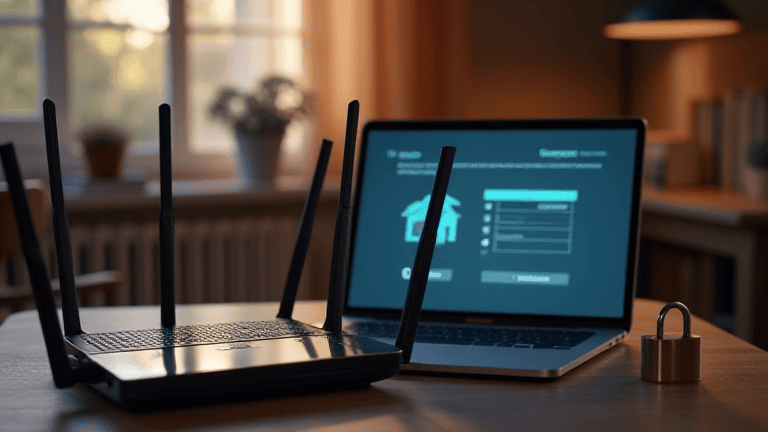
When you secure your home router, you protect every phone, laptop, and camera behind it at once. Spend the hour today—change logins, patch firmware, and tighten Wi-Fi—and your whole network gets dramatically safer.