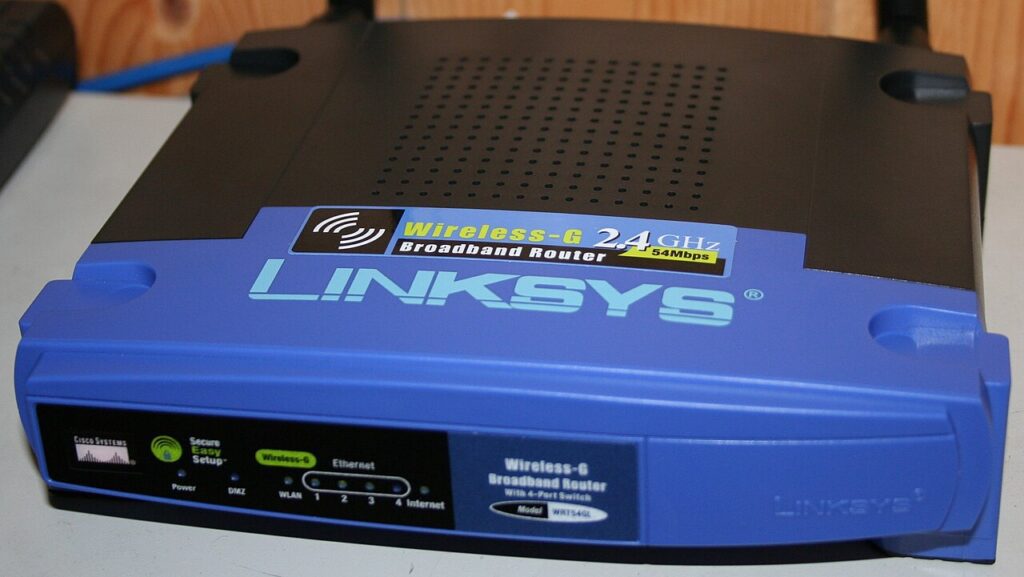
Smart home security tips matter more than most people realize because the weak point in a modern home is often not the lock on the door. It is the cheap camera with a default password, the old router no one updates, or the smart speaker connected to every account in the house. The good news is that locking down a smart-home setup does not require a networking degree. A few careful settings make a bigger difference than buying another gadget.

Smart home security tips start with your router, not your gadgets
Your router is the front door for the rest of the system. If it is still using the default admin password from the sticker, fix that first. Set a strong admin password, update the firmware, and make sure your Wi-Fi uses WPA2 or WPA3 security. If the router offers automatic updates, switch them on so you are not relying on memory later.
The next easy win is changing the Wi-Fi name if it reveals your surname, apartment number, or router model. Small details like that make your network less informative to strangers. The official consumer guidance from CISA is refreshingly practical on this point, and Consumer Reports has similarly useful smart-home advice.
If your router supports a guest network, use it. Put smart bulbs, speakers, plugs, and other lower-trust devices there instead of on the same network you use for laptops and banking.
Change default passwords and trim permissions fast
Many smart-home devices arrive with weak defaults, broad permissions, and cloud settings you never review. When you install a new device, change its password right away if the product allows one. Then open the companion app and remove any permissions that feel excessive. A smart bulb does not need your contacts. A robot vacuum does not need constant microphone access.
Also check which accounts have access to the device. Old roommates, family members, or test logins from setup can stick around longer than you think. Remove anything you do not actively recognize. If the device supports two-factor authentication for its app account, enable it.
One more habit helps a lot: buy fewer brands. A home full of random budget devices means five apps, five update policies, and five different security standards. Fewer ecosystems usually mean fewer surprises.
Smart home security tips for cameras, speakers, and doorbells
Cameras and doorbells deserve extra attention because they collect sensitive information by default. Review where clips are stored, who can view them, and whether old recordings auto-delete. If the app has a privacy zone feature, use it to avoid recording more of your home or your neighbors than necessary.
Smart speakers can also hold more history than people expect. Check saved voice recordings and clear anything you do not want sitting in the cloud. If voice purchasing is enabled and you never use it, turn it off. If location-based routines feel creepy rather than helpful, disable those too.
These steps are less about paranoia and more about reducing quiet data buildup. The fewer unnecessary features you leave on, the smaller the risk if an account is ever exposed.
Keep your setup easy enough to maintain
A secure home that no one can manage is not really secure. Keep a simple list of your important device apps, recovery email addresses, and admin passwords in a safe place such as a password manager. Review your devices every few months and remove the ones you stopped using.
For more practical home-tech guides, start at the Tips & Tricks homepage. Then read Smart Home for Beginners and Set Up a Guest Wi-Fi Network in 5 Minutes to build a safer setup from the ground up.
Make a habit of checking for app and firmware updates once a month instead of waiting for a problem. If a device has not received updates in a very long time, treat that as a warning sign that it may not deserve a permanent place on your network.
It is also wise to unplug and factory-reset gadgets you stop using. An old indoor camera in a drawer still tied to your account is not harmless clutter. It is one more forgotten item connected to your digital life.
Smart home security tips work best when they become normal maintenance instead of a panic project. Start with the router, clean up device access, and keep only the features you genuinely use. That approach is simple, realistic, and much safer than hoping your gadgets stay secure on their own.