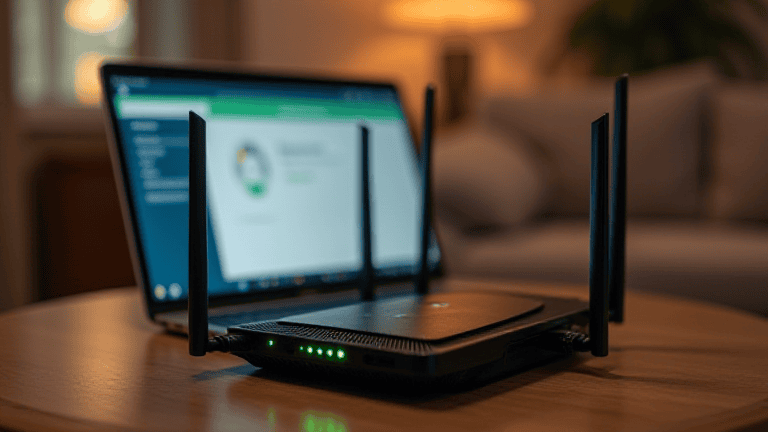
A router firmware update checklist is worth keeping because home internet problems are often blamed on the provider when the real issue is an old router running outdated software. Firmware updates can fix security holes, improve stability, and sometimes solve strange connection issues that reboots only hide for a day or two. If you like practical network fixes, keep Tips & Tricks bookmarked and pair this with our guest Wi-Fi setup guide afterward.
Use a router firmware update checklist before you click update
Start by identifying your exact router model and current firmware version. That sounds basic, but it prevents the classic mistake of downloading the wrong file or following the wrong support article. Look at the label on the router and the admin page in your browser.
Next, save or screenshot your current settings. If an update resets Wi-Fi names, passwords, or special configuration, you will recover much faster with a reference. This matters even more if you changed DNS, parental controls, or port settings.
- Confirm the exact router model before downloading anything.
- Back up settings or take screenshots of important pages.
- Update when people in the house can tolerate a short internet break.
Router firmware update checklist for a safer download and install
Only download firmware from the router maker’s official support page or install it through the built-in update tool. Never use random forum attachments or mirror sites for router software.
If the router offers automatic firmware checks, use that first. If you must upload a file manually, double-check the model and hardware revision. A few minutes of caution beats turning your router into an expensive paperweight.
CISA’s secure-router guidance at CISA is a solid reminder that updating firmware belongs alongside strong passwords and modern encryption.
What to check right after the router restarts
Once the router comes back, verify that your Wi-Fi name, password, and internet connection still work on at least two devices. Then log in again and confirm the new firmware version actually changed.
Also review security basics while you are there. Make sure remote management is off unless you truly need it, WPA2 or WPA3 is enabled, and the admin password is not still the factory default.
- Reconnect a phone and a laptop to confirm normal service.
- Check firmware version so you know the update really applied.
- Review admin password, encryption, and remote access settings.
Turn the router firmware update checklist into a repeating habit
You do not need to babysit your router weekly, but you should not ignore it for years either. A reminder every three months is usually enough for home users, and sooner if the brand announces a security issue.
If your router is no longer receiving updates, that is a bigger signal than one dropped video call. Unsupported hardware slowly becomes a security risk, especially when it sits between every device in your home and the internet.
A short checklist makes this task manageable: check model, back up settings, update from the official source, confirm the version, and review security basics before logging out.
If the router interface offers release notes for the new firmware, read them. They often mention bug fixes that explain the exact problem you have been seeing, such as random disconnects, device compatibility issues, or security patches. Knowing what changed makes the update feel less like blind maintenance.
Finally, label the bottom of the router with the admin page address and the month of the last update if that information is not already obvious. That tiny household note makes future maintenance much easier, especially when someone else in the home needs to restart or review the network later.
One more benefit of regular firmware updates is compatibility. New phones, smart TVs, game consoles, and IoT devices sometimes behave badly on old router software even when your internet plan is fine. Updating firmware first can save hours of pointless troubleshooting because it removes a common, invisible cause of instability.
If your router supports automatic update notifications, turn them on. You still get control over timing, but you are less likely to miss an important patch because months passed without anyone logging into the admin page.
That single reminder can be the difference between a secure router and one that quietly ages out of safety updates.